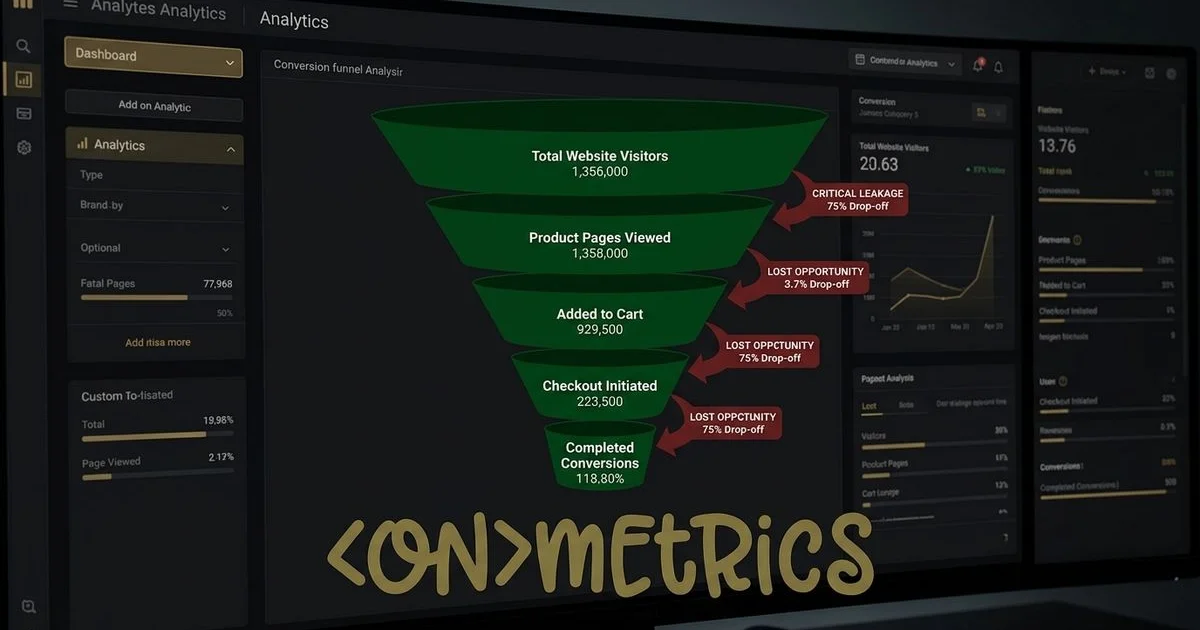
We know how frustrating it feels to watch analytics dashboards show rising visitor counts while the phone stays silent, leaving you wondering why your website isn’t converting.
This disconnect usually happens because businesses focus heavily on getting found through SEO or paid campaigns like Google Ads, yet they neglect the final step.
Getting eyes on the page is only half the battle.
The real challenge is turning that passive interest into measurable action.
Our experience with local companies across Canada shows that traffic quality is rarely the culprit.
Visitors arrive with a specific intent, but subtle friction points cause them to abandon the process.
Fixing these invisible barriers changes everything.
Let’s look at the data behind the most common conversion killers and explore the exact steps to eliminate them.
Your Website Has No Clear Call to Action
Our audits consistently reveal that missing or vague calls to action are the fastest way to lose a potential lead.
People need explicit direction on what steps to take next.
A 2025 report from HubSpot shows that personalized, specific CTAs convert 202% better than generic alternatives.
Visitors simply will not hunt for a way to give you their money.
We always recommend swapping out passive text like “Contact Us” for action-driven phrases.
”Get Your Free 15-Minute Consultation” sets a clear expectation and lowers the perceived commitment.
This small linguistic shift makes a massive difference in response rates.
How to fix it:
- Place a primary CTA above the fold on every page.
- Use action-oriented language like “Get,” “Book,” “Download,” or “Start.”
- Make the CTA button visually distinct with a contrasting colour and adequate white space.
- Repeat the CTA throughout longer pages, especially after sections that build value.
- Include a prompt in your header or navigation bar so it remains visible everywhere.
Your Contact Form Asks for Too Much Information
Our data shows that long contact forms are absolute conversion killers.
Every additional field creates friction, causing busy people to simply abandon the page.
A 2025 HubSpot study found that each extra form field decreases the conversion rate by an average of 4.1%.
The visitor usually just wants a quick quote, not an interrogation about their entire project history.
We advise keeping initial inquiries as simple as possible.
The optimal number of fields for lead generation is just three to five.
You can always gather deeper project specifics during the follow-up conversation.
The Cost of Complex Forms
The rule of thumb is simple: remove fields to see an immediate, measurable increase in form completions.

How to fix it:
- Reduce your form to 3-4 fields maximum, such as name, email, phone, and a brief message.
- Collect complex project details during the follow-up call instead of upfront.
- Offer multiple contact options, like a short form for quick inquiries and a detailed form for specifics.
- Display your phone number prominently, because many people prefer calling over typing.
Your Website Looks Outdated or Unprofessional
Our design team knows that first impressions form in the blink of an eye.
Stanford’s Web Credibility Project research reveals that 75% of consumers judge a company’s credibility based entirely on its website design.
If a site looks like a relic from 2015, potential clients will assume the business operates the same outdated way.
We constantly see how visual polish directly impacts the bottom line.
Small text, generic stock photos, and cluttered layouts actively push prospects to competitors.
A modern, clean aesthetic builds instant trust before a visitor reads a single word.
A complete overhaul is the obvious answer, but you can prioritize quick wins if a budget is tight.
How to fix it:
- Increase your body text size to at least 16 pixels for comfortable reading.
- Replace generic stock images with authentic photos of your team, workspace, or real projects.
- Simplify cluttered pages by removing elements that distract from the main goal.
- Ensure your colour scheme is consistent and professional across all pages.
- Check that your site functions flawlessly on smaller screens.
Our web design services focus on building sites that look professional and are engineered to generate leads.
Even small visual tweaks can yield significant improvements in your metrics.
Quality design pays for itself very quickly.
You Have No Social Proof
We frequently ask clients if they would hire a contractor with zero reviews.
The answer is always a resounding no.
Social proof bridges the gap between passive interest and active trust.
A recent CXL study found that websites featuring clear trust signals see up to a 42% boost in total conversions.
Our strategy always involves bringing these trust signals to the forefront.
Many local businesses bury their best testimonials on a hidden page that nobody ever clicks.
Placing glowing reviews directly next to your purchase buttons creates immediate reassurance.
How to fix it:
- Display two or three strong testimonials on your homepage, ideally with the client’s name and photo.
- Show your Google review rating prominently, such as “4.9 stars from 127 reviews.”
- Include industry certifications, awards, or local Canadian association memberships.
- Add specific case studies or before-and-after visual examples for service businesses.
- Display logos of well-known partners or community organizations you work with.
Your Website Is Too Slow
Our previous Core Web Vitals guide covered site speed extensively, but it demands repeating here.
Sluggish load times actively destroy revenue.
Google’s 2025 Core Web Vitals data shows that as mobile page load time goes from one to three seconds, the probability of a bounce increases by 32%.
We watch businesses lose half their traffic before the hero image even appears.
These frustrated visitors immediately click back to search results and choose a faster competitor.
Page speed also dictates the entire user experience, because a choppy interface erodes consumer confidence.
How to fix it:
- Test your current speed metrics at Google PageSpeed Insights.
- Compress all heavy images to the modern WebP format.
- Minimize and defer non-critical JavaScript that blocks the main thread.
- Upgrade to a fast, reliable hosting provider or use a Content Delivery Network.
- Eliminate unnecessary WordPress plugins and bloated third-party scripts.
Your Content Doesn’t Address the Visitor’s Question
We often see company websites that function as digital vanity projects.
They talk endlessly about company history, mission statements, and executive biographies.
Visitors simply do not care about those details until you prove you can solve their immediate problem.
Our copywriting approach flips this script entirely.
When someone lands on a page, they have specific questions about pricing, credibility, and outcomes.
The average website conversion rate in Canada is between 2% and 3%, meaning you must answer their query instantly to capture that narrow margin.
How to fix it:
- Lead with the customer’s specific problem and present your service as the solution.
- Address common objections directly, focusing on pricing transparency and process clarity.
- Write headlines that highlight clear benefits rather than technical features.
- Include a dedicated FAQ section on service pages to handle common sales questions.
- Make general pricing ranges accessible to reduce financial uncertainty.
Your Mobile Experience Is Poor
Our analytics reviews show that mobile traffic cannot be treated as an afterthought.
Recent 2026 data indicates that mobile devices account for over 56% of all web traffic in Canada.
If your site requires pinching and zooming, you are actively turning away the majority of your market.
We find that the most common mobile conversion killers are purely functional.
Tiny buttons, unclickable phone numbers, and screen-dominating pop-ups create a hostile user environment.
A seamless mobile flow is mandatory for local businesses relying on quick inquiries.
How to fix it:
- Test the entire site on a physical phone, rather than relying on a desktop browser resize tool.
- Make all phone numbers instantly clickable using proper tel: HTML links.
- Ensure form fields are large enough for a thumb to tap easily.
- Stick to a clean, single-column layout for all mobile views.
- Remove aggressive pop-ups that block the screen for mobile visitors.
Measuring Your Conversion Rate
Our team believes that you cannot optimize what you refuse to measure.
Establishing a solid tracking baseline is the only way to know if your changes actually work.
A typical Canadian local business site converts between 2% and 5% of its total visitors into qualified leads.
We highly recommend setting up specific goals in your analytics platform.
If your numbers sit below that 2% threshold, you have major structural friction points to resolve.
Hitting above 5% means you are performing well, though continuous testing can push those numbers even higher.
Key Metrics to Track
Tracking the right data prevents wasted marketing spend.
| Conversion Action | Tracking Method | Best Practice |
|---|---|---|
| Contact Forms | Thank-you page views | Use unique URLs for successful submissions. |
| Phone Calls | Dynamic call tracking | Attribute specific calls to exact website pages. |
| Live Chat | Widget engagement events | Monitor how many chats result in an email capture. |
| Direct Emails | Mailto link clicks | Track clicks as secondary conversion goals. |
Why Your Website Isn’t Converting: Start With the Biggest Impact
We suggest tackling these improvements one step at a time.
Identifying the single largest friction point on the site is the best way to start.
This is usually a missing call to action, zero social proof, or a broken mobile layout.
Our process involves fixing the most severe issue, measuring the data for a month, and then moving down the list.
Guessing where the bottlenecks live only wastes valuable time and resources.
If you are unsure where to begin, simply contact us for a comprehensive, free website audit.
We will pinpoint exactly what stops your visitors from taking action and hand you a prioritized roadmap for growth.